Cloud AI CAM vs. Traditional CAM: Which Is Better for 5-Axis CNC Machining?
Modern 5-axis CNC machines—from industrial machining centers to agile desktop 5-axis units—can hold micron-level tolerances at high spindle speeds. Yet in most machine shops, the spindle isn't the bottleneck. Programming is.
For decades, engineers relied on traditional, locally installed CAM software. Today, cloud-based AI CAM platforms are challenging that workflow by shifting toolpath computation, strategy selection, and collision simulation to the cloud.
If you are evaluating CAM software for a modern shop floor or R&D lab, here is an engineering-focused breakdown of Cloud AI CAM vs. Traditional CAM—and how to decide which fits your workflow.
Side-by-Side Comparison: Cloud AI CAM vs. Traditional CAM
| Feature / Criteria | Traditional Desktop CAM | Cloud AI CAM (CHUIXIANG.AI) |
| Deployment & Updates | Local installation, dongles, manual version upgrades | Browser/cloud-based, instant updates, access anywhere |
| Compute Power | Limited by local PC CPU/RAM | Scalable cloud servers handle heavy multi-axis math |
| Toolpath Generation | Manual strategy selection & parameter tweaking | AI-assisted automated 5-axis toolpath generation |
| Learning Curve | Steep; heavily reliant on veteran "tribal knowledge" | Streamlined; guides newer engineers with smart defaults |
| Collision Checking | Often requires separate verification steps or add-ons | Built-in, full-kinematic cloud cutting simulation |
| Collaboration | File-based (version conflicts, local post-processors) | Centralized cloud projects with team-wide visibility |
Key Differences Engineers Care About Most
1. Toolpath Generation & Preparation Time
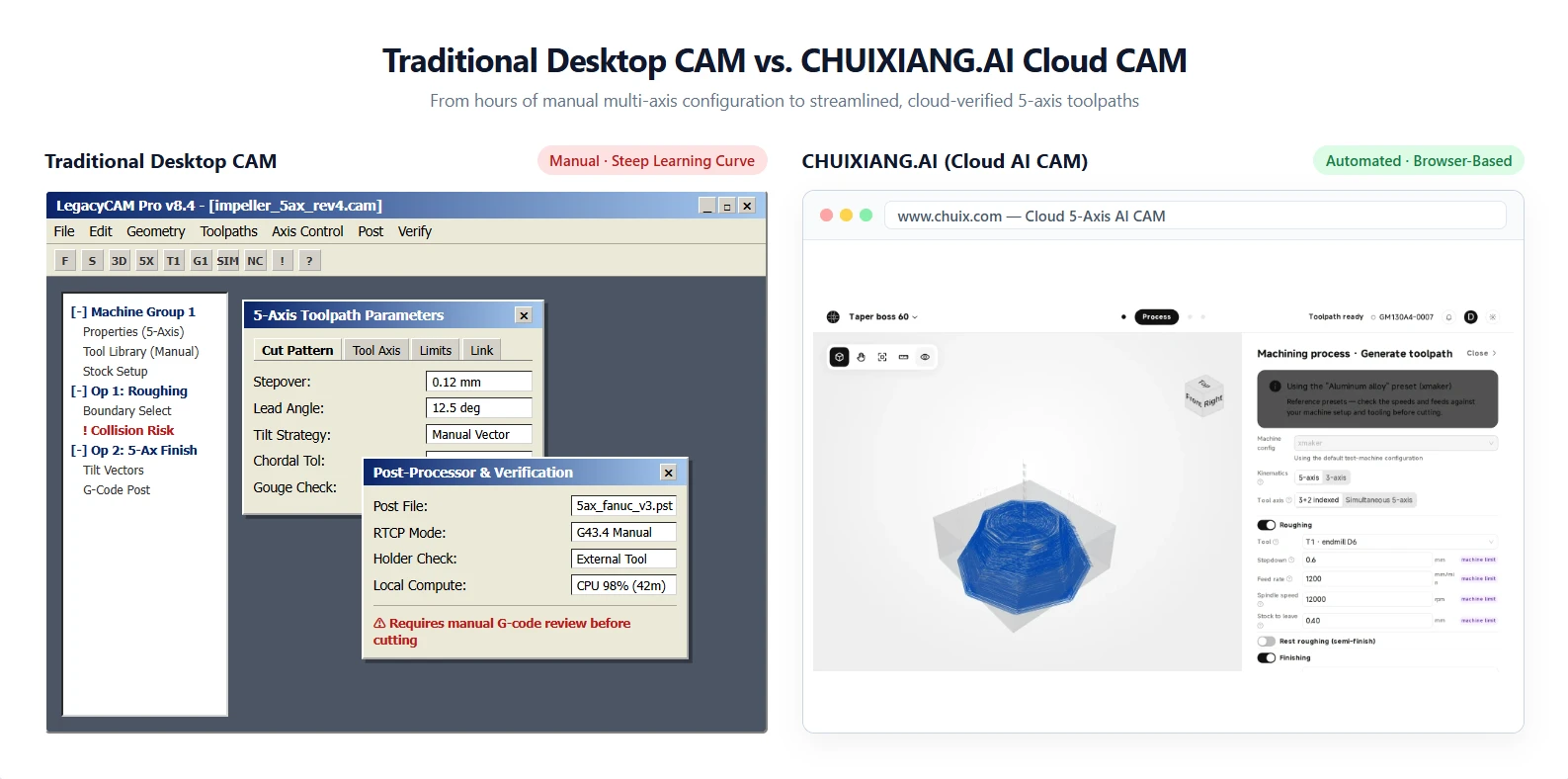
With traditional CAM, programming a complex organic part—such as an impeller, manifold, or medical implant—requires manually defining boundaries, tilt angles, lead/lag settings, and step-overs. A single 5-axis part can easily take hours of trial and error.
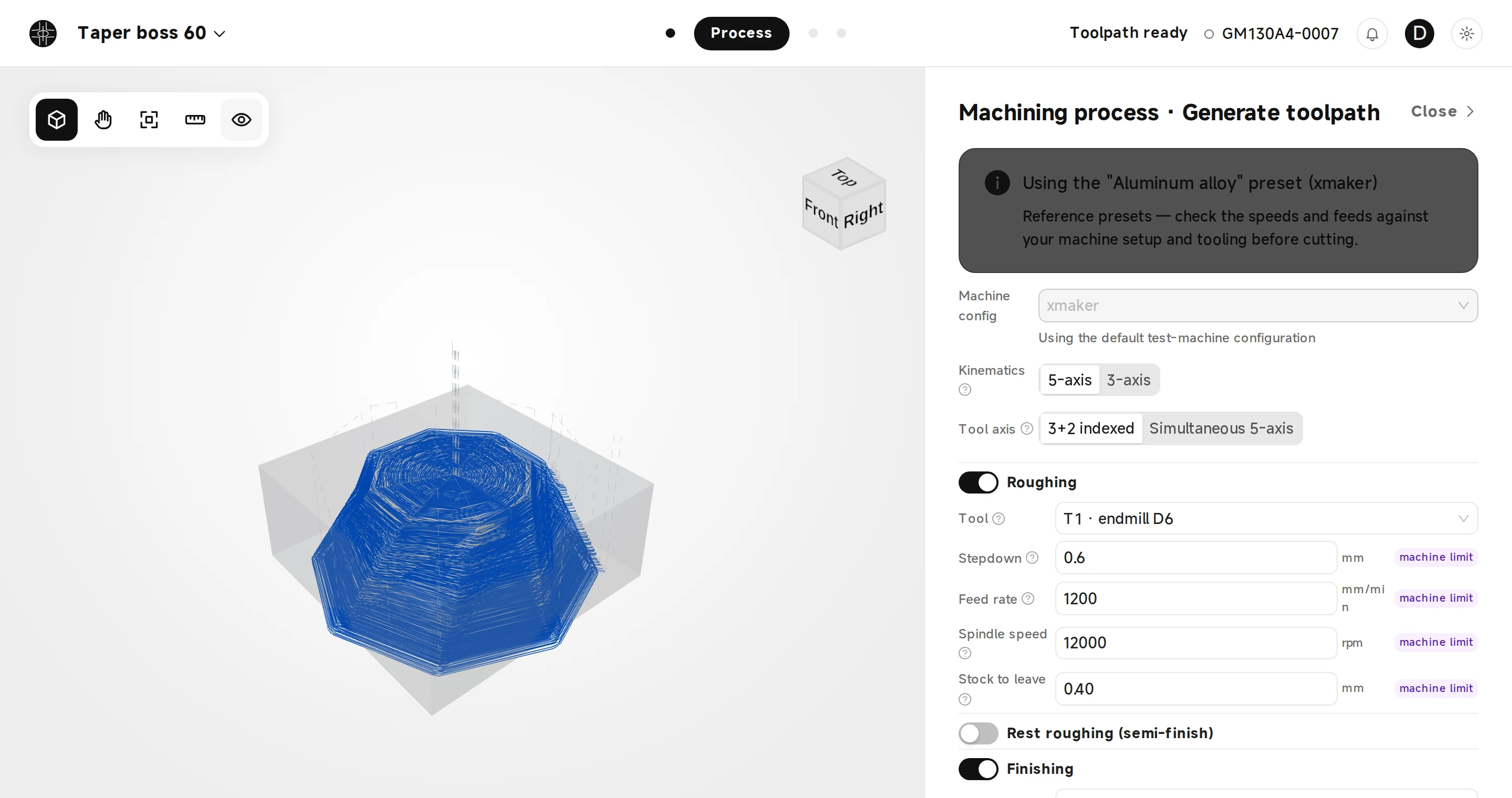
Cloud AI CAM analyzes the 3D CAD geometry automatically. Instead of forcing programmers to build every strategy from scratch, AI algorithms evaluate surface curvature, tool reach, and material properties (whether 7075 aluminum, brass, or Grade 5 titanium) to generate optimized 5-axis toolpaths in a fraction of the time.
2. Local Hardware Bottlenecks
Traditional CAM suites are notoriously resource-hungry. Calculating dense 5-axis simultaneous finishing paths can freeze a mid-range workstation for minutes at a time.
Because Cloud AI CAM offloads heavy geometric calculations to remote servers, engineers don't need an expensive, high-spec CAD/CAM workstation just to generate clean G-code. You can prepare jobs from a standard laptop and push verified code directly to the shop floor.
3. Collision Avoidance & Simulation Confidence
In 5-axis machining, a small oversight in rotary axis indexing or holder clearance can mean a catastrophic spindle crash. Traditional workflows often treat simulation as a separate, time-consuming check—or rely on third-party G-code verifiers.
Modern AI CAM integrates comprehensive cutting simulation directly into the cloud workflow. Before a single line of G-code reaches your controller, you can visually inspect toolholder clearances, gouges, and kinematic limits on screen.
4. Reliance on "Tribal Knowledge"
Every experienced shop knows the risk: your best feeds, speeds, and roughing tricks live inside one senior machinist’s head. When they leave or retire, productivity drops.
AI CAM captures best-practice cutting strategies into intelligent process planning. While skilled machinists remain essential for fixture design and final inspection, newer engineers can produce safe, repeatable programs much faster.
When Should You Stick With Traditional CAM?
To be objective, traditional desktop CAM still has strongholds:
-
Air-gapped / strict offline environments: Defense or high-security aerospace facilities that legally prohibit cloud connectivity must use on-premise software.
-
Legacy custom macros: Shops with decades of heavily customized, proprietary post-processors and VB/Python scripts deeply tied to one legacy system.
When Does Cloud AI CAM Make the Biggest Impact?
Cloud AI CAM delivers the fastest ROI for:
-
High-mix, low-volume job shops where programming time often exceeds actual cutting time.
-
R&D labs and prototyping teams running agile 5-axis machines that need fast CAD-to-part turnaround.
-
Growing machine shops struggling to hire experienced 5-axis CAM programmers and wanting to eliminate programming bottlenecks.
At CHUIXIANG.AI, we built our cloud-based AI CAM platform to give every machine tool—regardless of brand—an intelligent cloud brain, helping teams go from 3D model to verified 5-axis toolpaths in minutes instead of hours.
Frequently Asked Questions (FAQ)
Is Cloud AI CAM accurate enough for tight-tolerance 5-axis parts?
Yes. Cloud computation does not compromise mathematical precision. Toolpath tolerances, chordal deviations, and surface finish parameters can be tightly controlled to match micron-level 5-axis CNC requirements.
Do I need a high-end PC to run Cloud AI CAM?
No. Because toolpath calculation and 3D cutting simulation run in the cloud, you only need a reliable internet connection and a standard computer or laptop.
Does AI CAM replace human CNC programmers?
No—it eliminates repetitive manual clicking and guesswork. Programmers still oversee workholding, final strategy review, and shop-floor execution, while AI handles the heavy computational lifting.
Ready to eliminate your 5-axis programming bottleneck?
Explore how CHUIXIANG.AI brings cloud-based intelligence to your machine tools →